Parameterized reports with 
2026-05-30
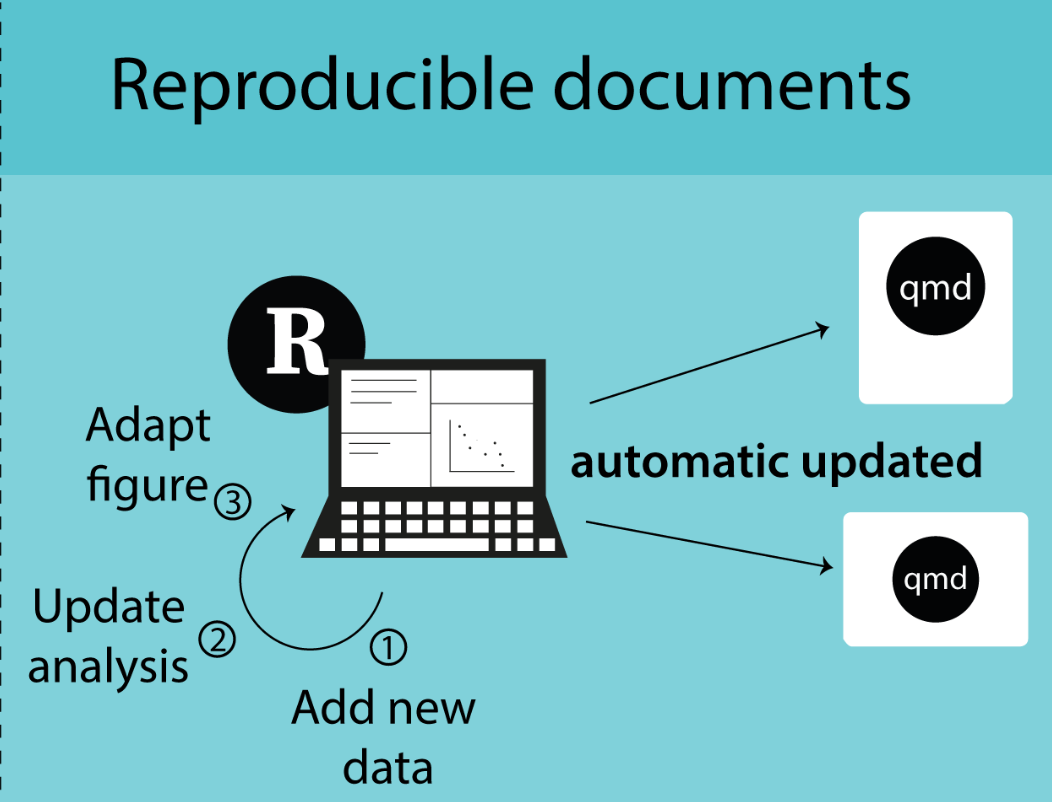
Image from “Enough Markdown to Write a Thesis” by Richard J. Telford (2025)
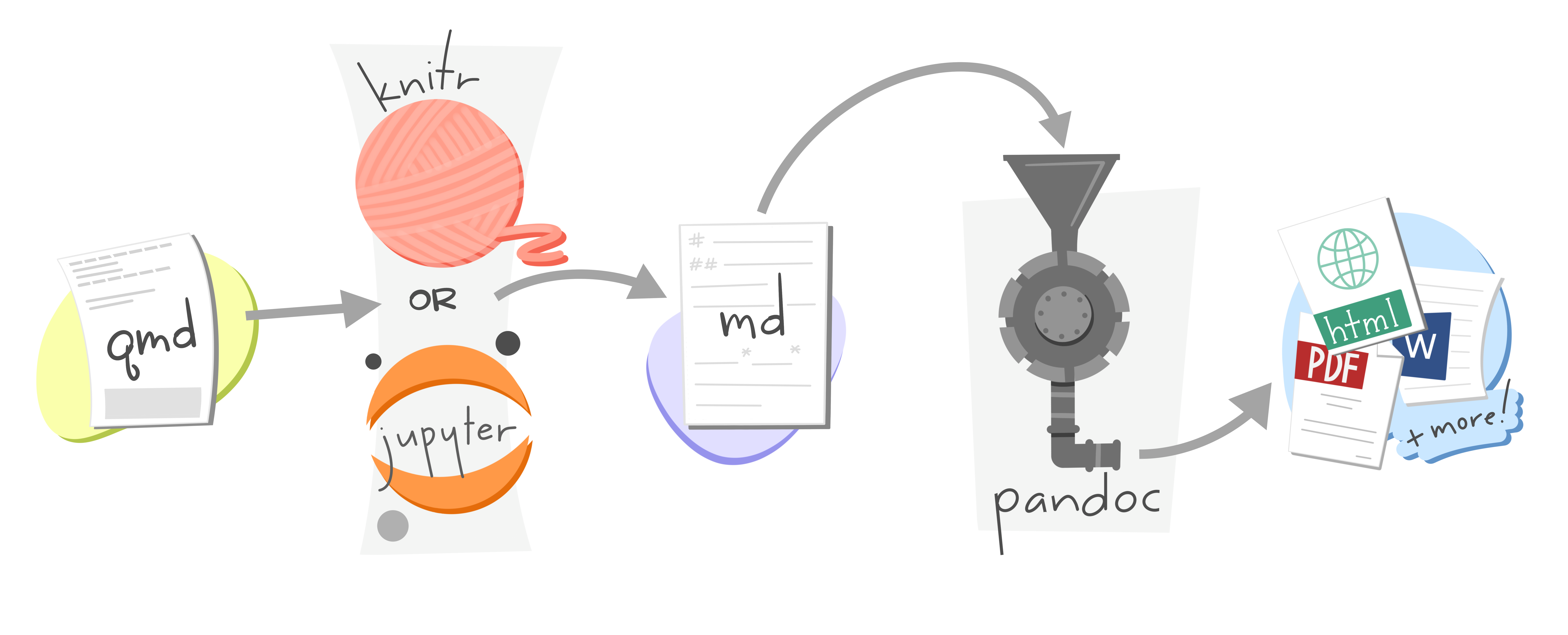
Artwork from “Hello, Quarto” keynote by Julia Lowndes and Mine Çetinkaya-Rundel, presented at RStudio::Conf(2022). Illustrated by Allison Horst.
---
title: "A simple yet cool Quarto file"
author: "Leo"
---
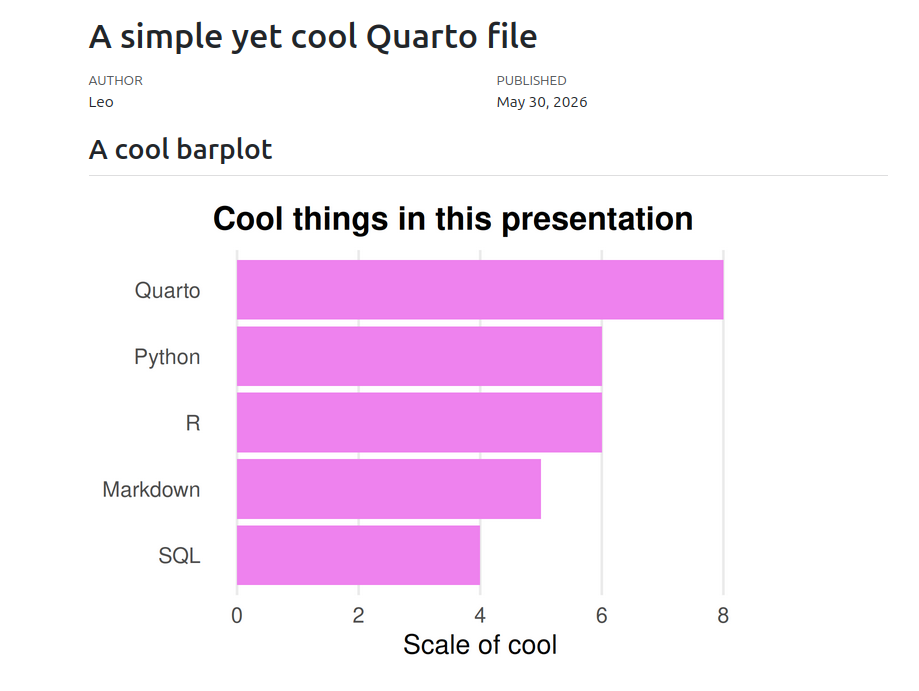
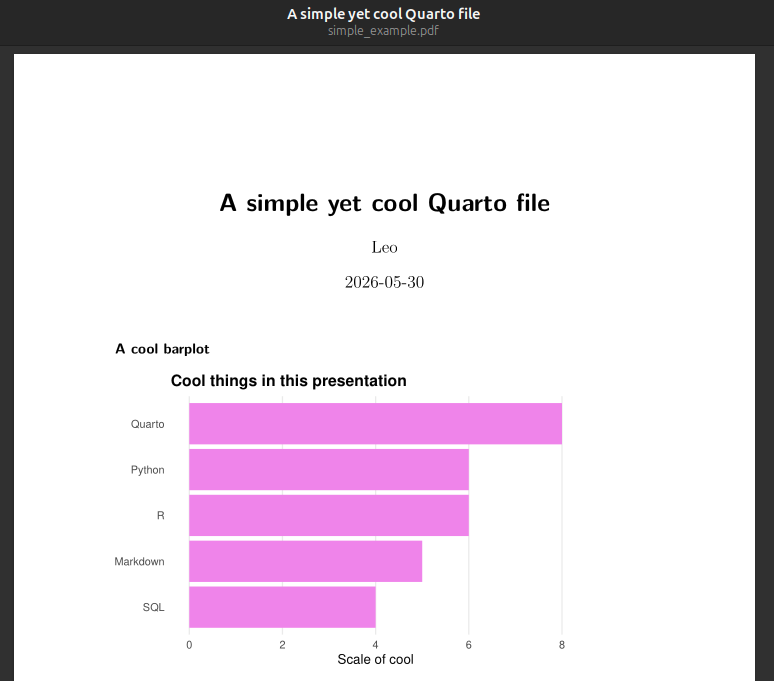
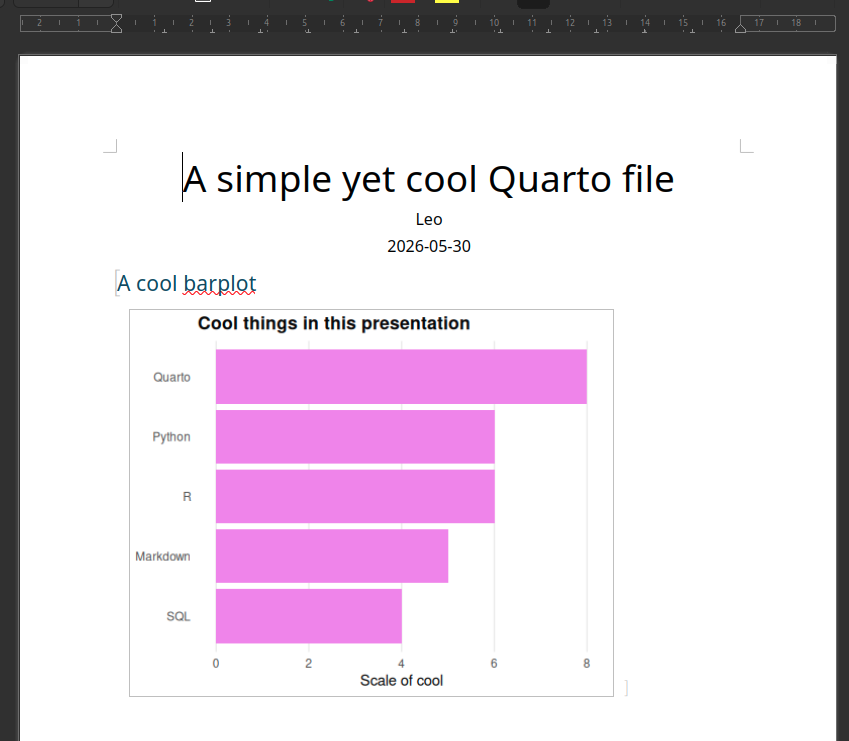
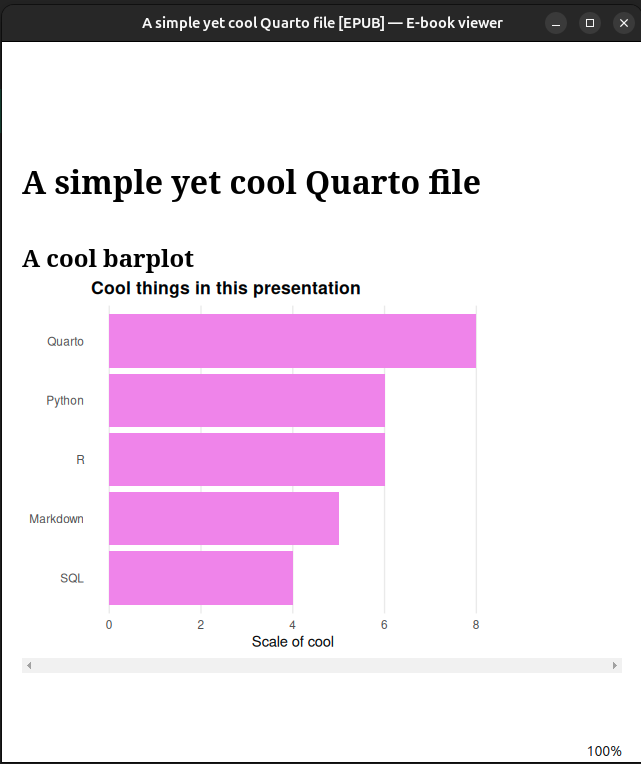
## A cool barplot
```{r}
cool_data |>
ggplot(aes(x = cool_variable)) +
geom_bar()
```Ingredients of a Quarto file:
YAML header
Markdown language
Code chunks (R, Python, SQL, Bash, Julia, etc.)
---
title: "My Report" # Metadata
author: Leo
date: "Saturday May 30, 2026"
format: # Set format types
html:
docx:
params: # (Optional) Parameter key-value pairs
year: 2023
---YAML = Yet Another Markdown Language
format in YAML header---
title: "A simple yet cool Quarto file"
author: "Leo"
format: html
---
## A cool barplot
```{r}
cool_data |>
ggplot(aes(y = fct_infreq(cool_things) |> fct_rev())) +
geom_bar(fill = "violet") +
labs(
x = "Scale of cool",
y = NULL,
title = "Cool things in this presentation"
) +
theme_minimal() +
theme(
panel.grid.major.y = element_blank(),
panel.grid.minor = element_blank(),
plot.title = element_text(face = "bold")
)
```

---
title: "A simple yet cool Quarto file"
author: "Leo"
format:
html:
embed-resources: true
---
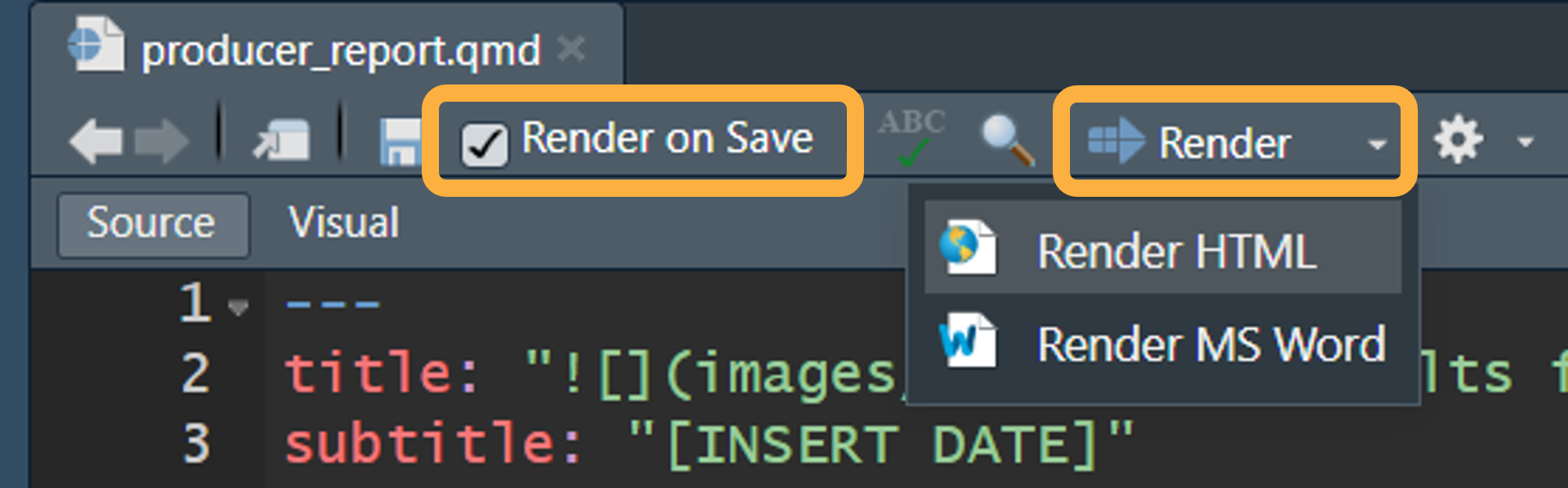
```Tip: for HTML, set embed-resources: true to include all the dependency files (images, etc.) inside the HTML.
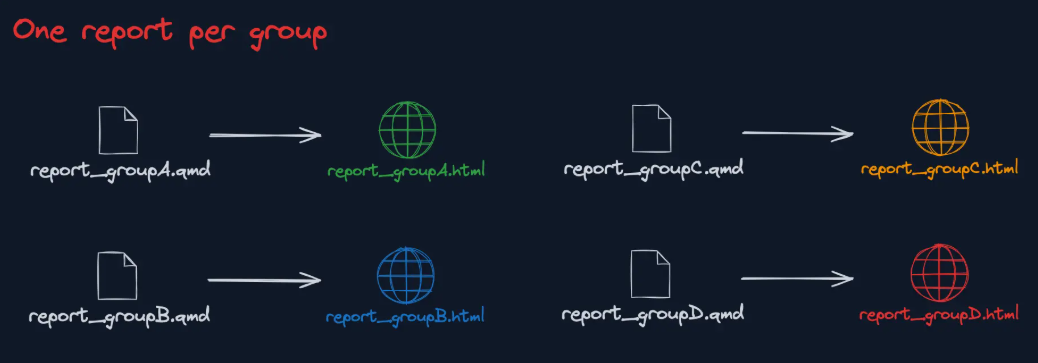
Image from “Enough Markdown to Write a Thesis” by Richard J. Telford (2025)

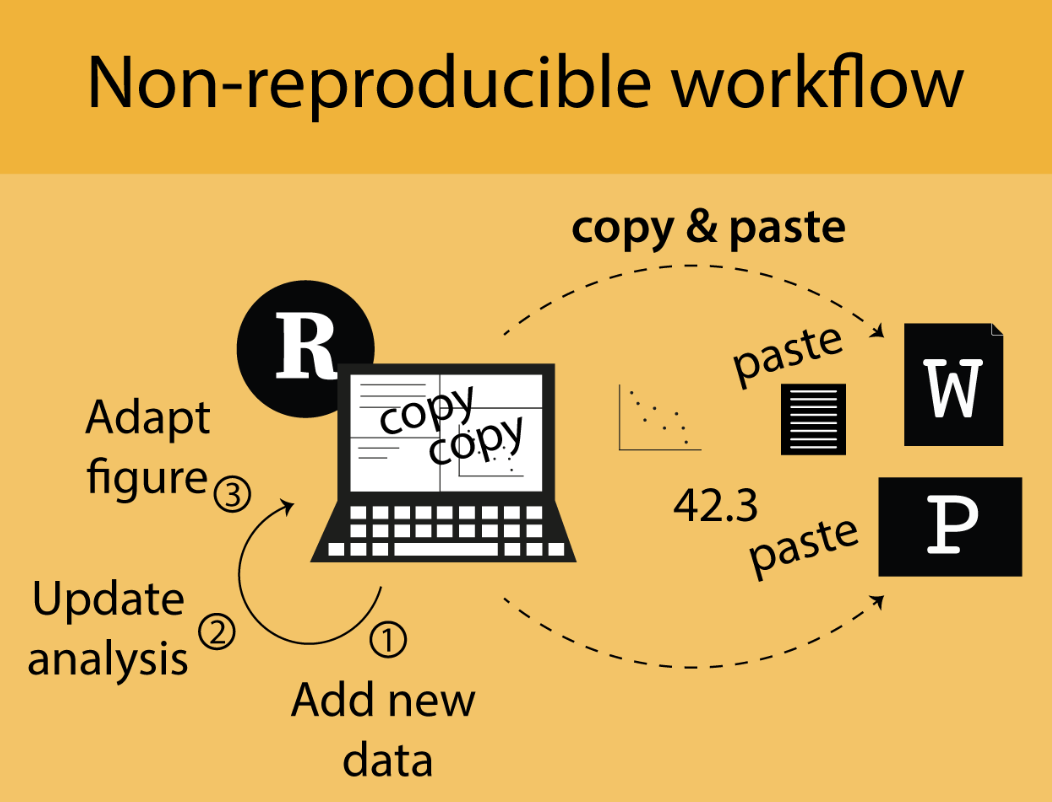
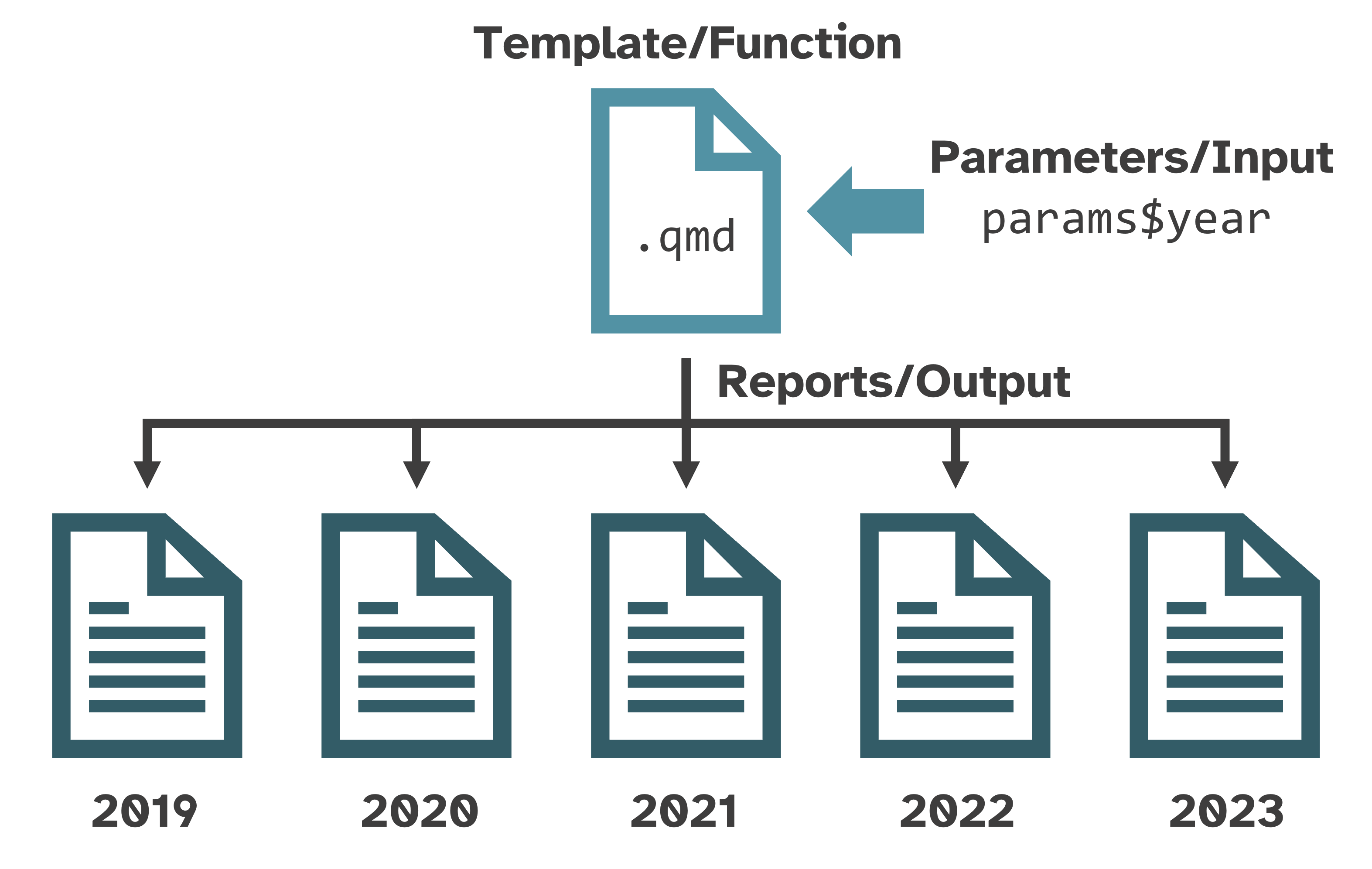
Image from the “R Productive Workflow” by Yan Holtz
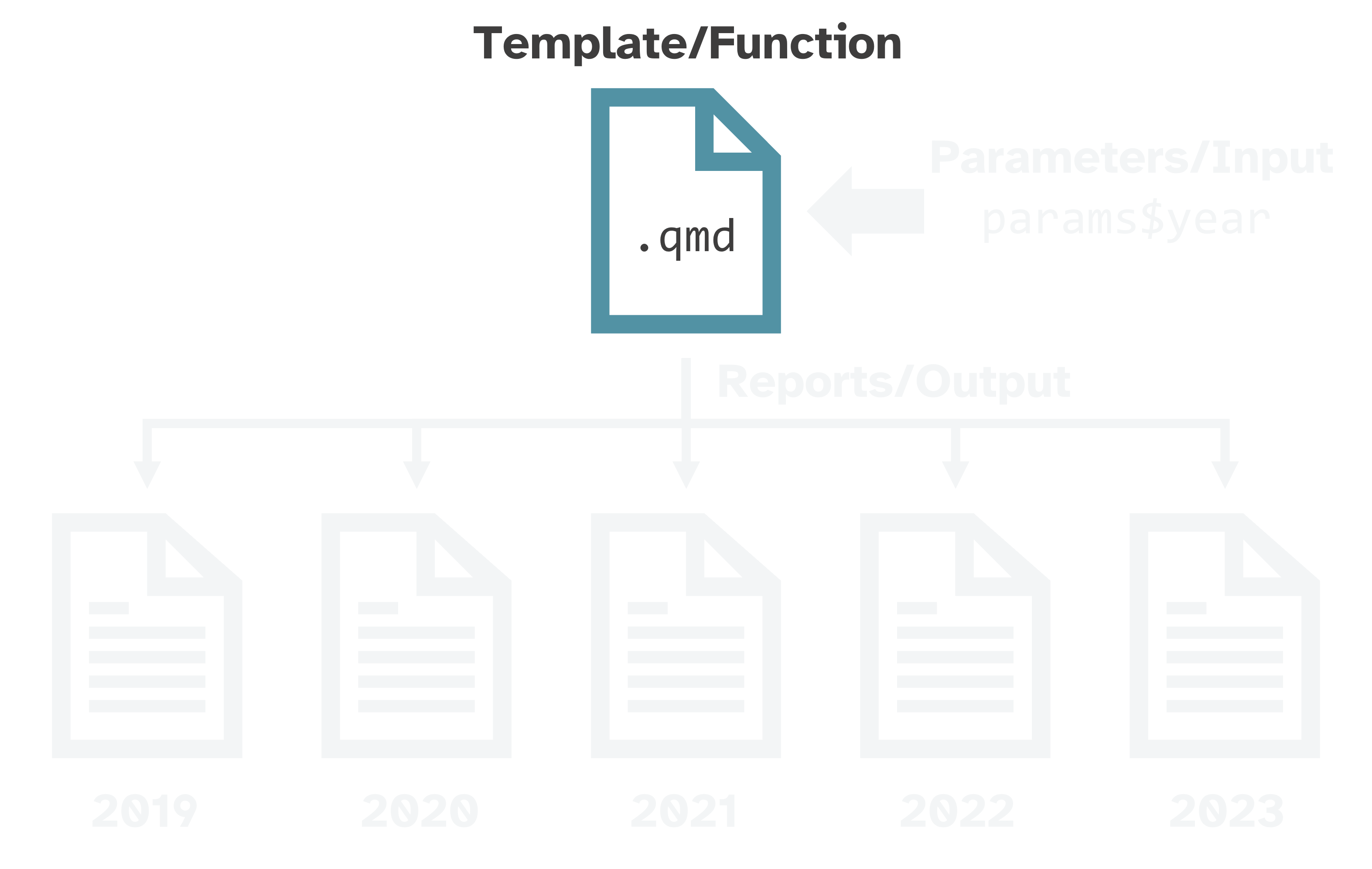


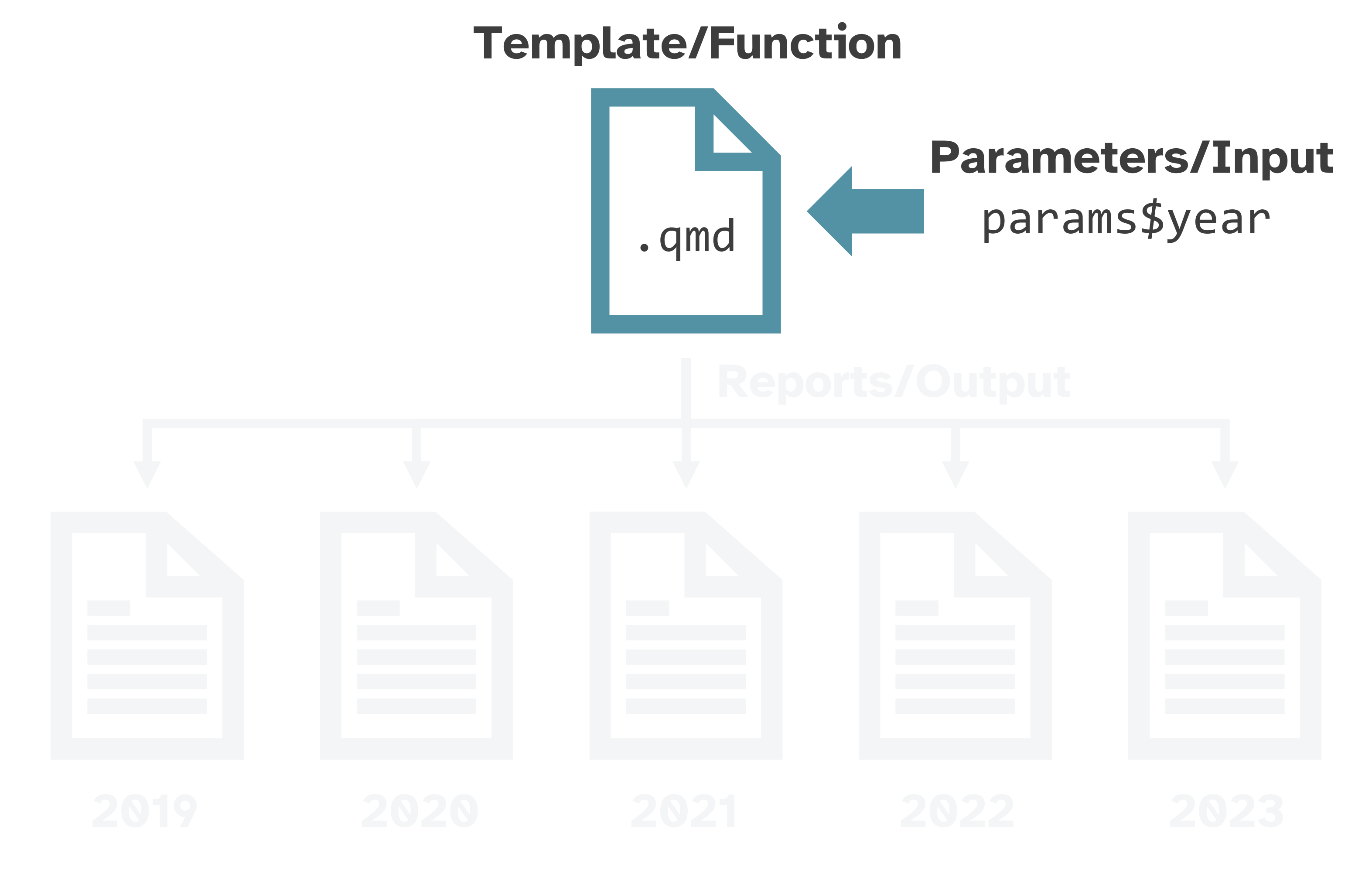
YAML header with params key-value pairs
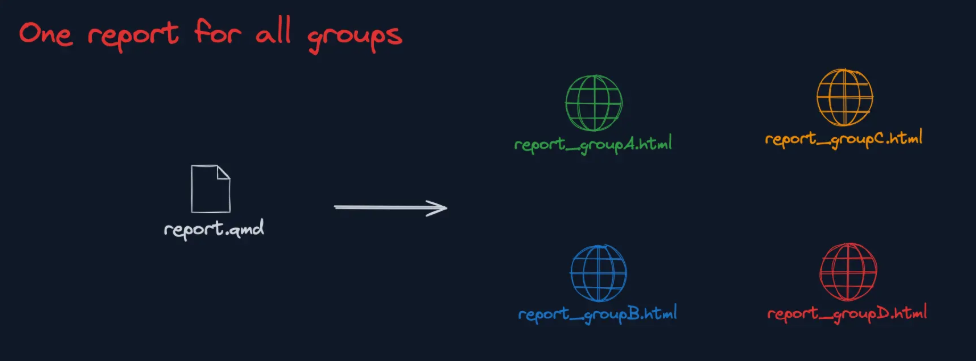
Use those params in your report to create different variations
… by geography, by date, by audience type, etc.
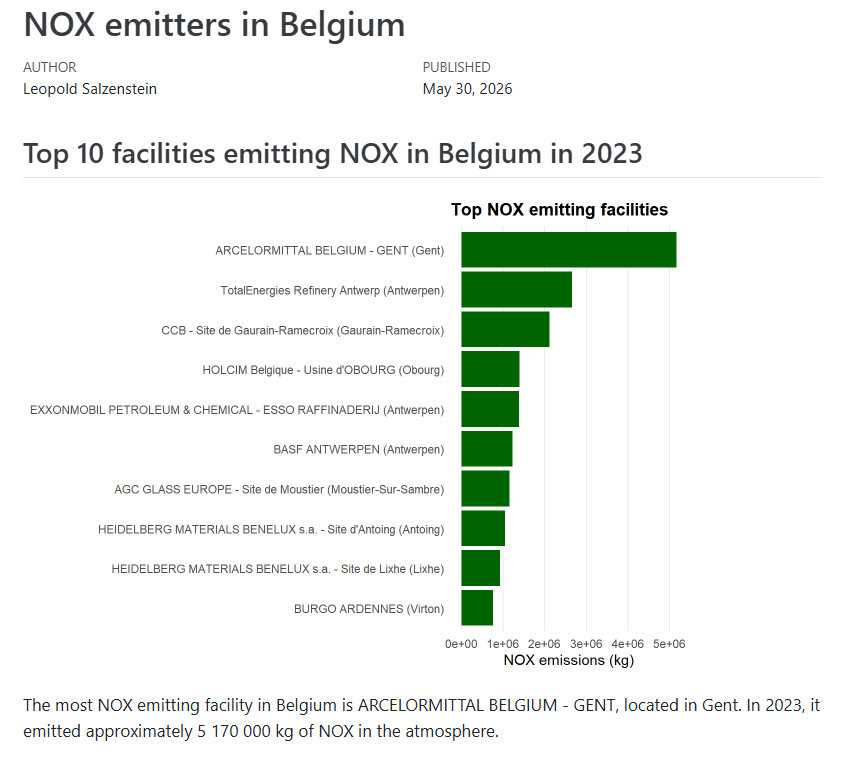
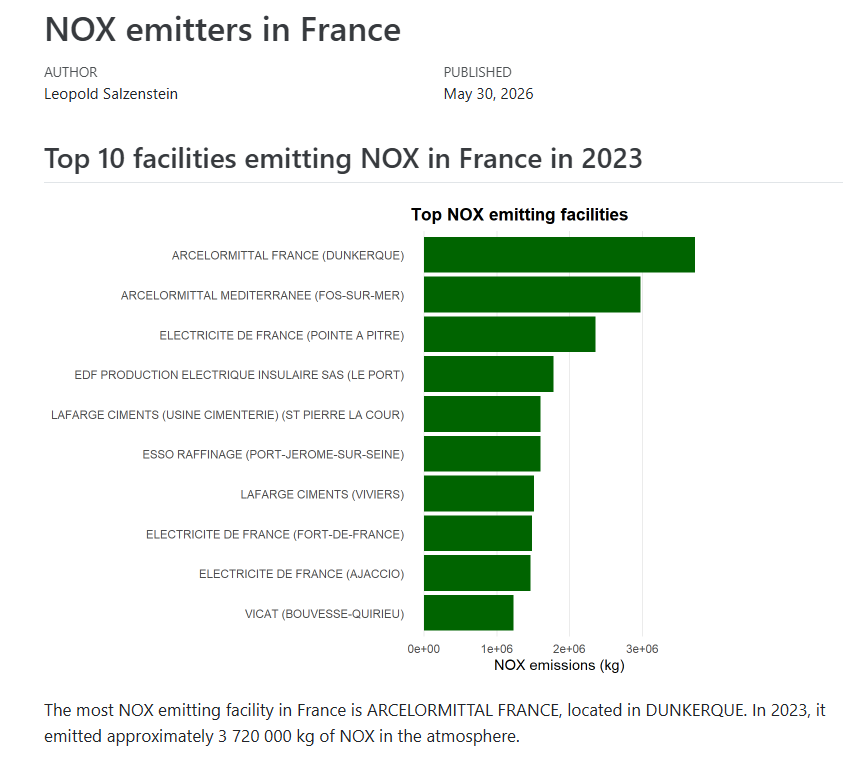
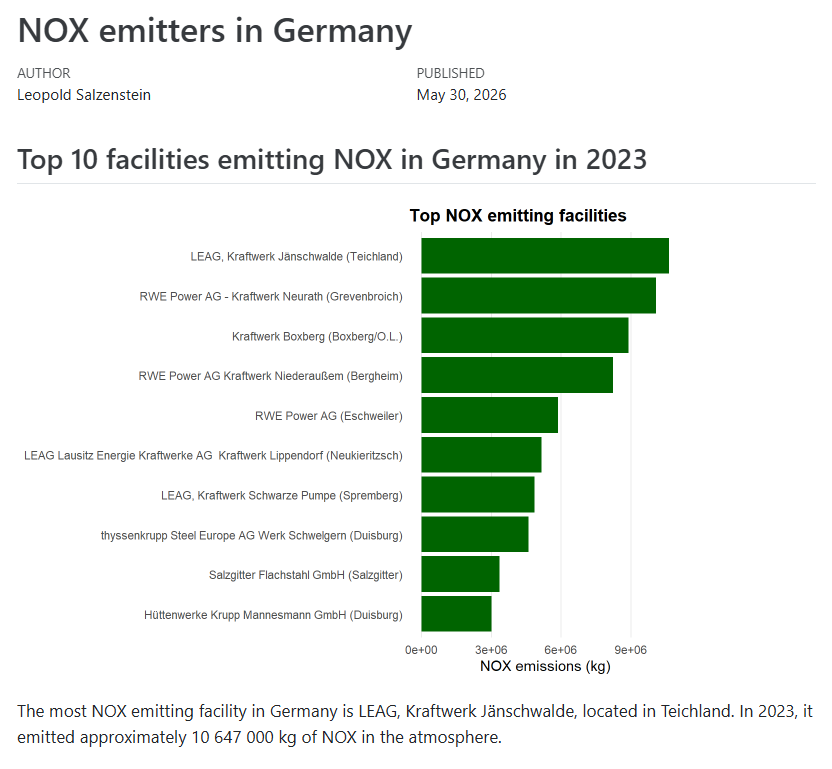
.. in Belgium and its neighbours (NL, DE, FR, LU)
## Top 10 facilities emitting NOX in Belgium in 2023
```{r}
nox_emissions |>
filter(country == Belgium) |>
summarise(total_emissions = sum(total_emissions, na.rm = TRUE),
.by = c(facility, city)) |>
slice_max(total_emissions, n = 10) |>
mutate(facility_label = str_glue("{facility} ({city})")) |>
ggplot(aes(
x = fct_reorder(facility_label, total_emissions),
y = total_emissions
)) +
geom_col(fill = "darkgreen") +
coord_flip() +
labs(
x = NULL,
y = "NOX emissions (kg)",
title = "Top NOX emitting facilities"
) +
theme_minimal() +
theme(
panel.grid.major.y = element_blank(),
panel.grid.minor = element_blank(),
plot.title = element_text(face = "bold")
)
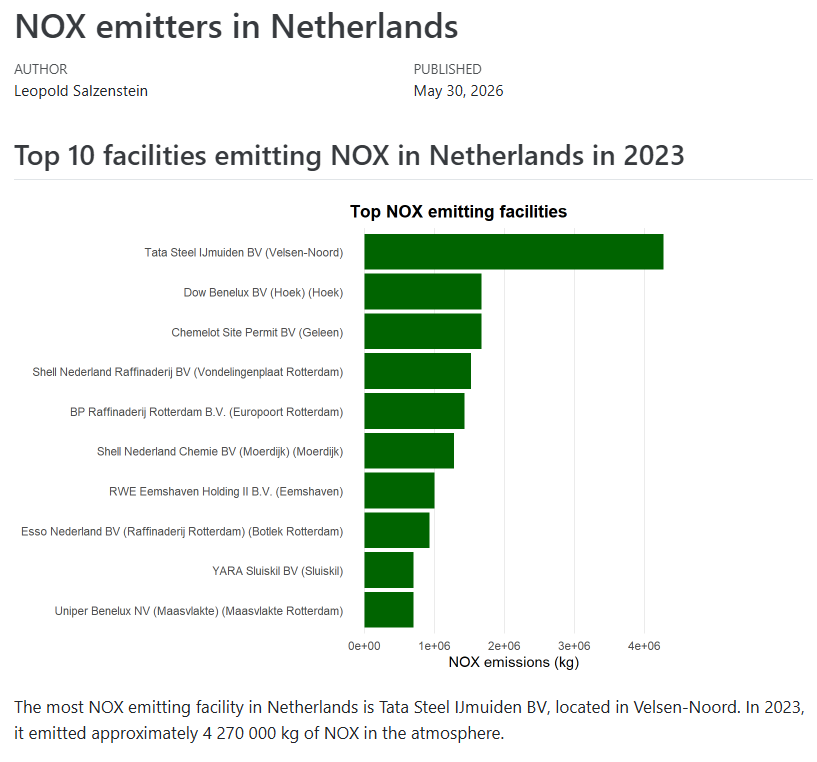
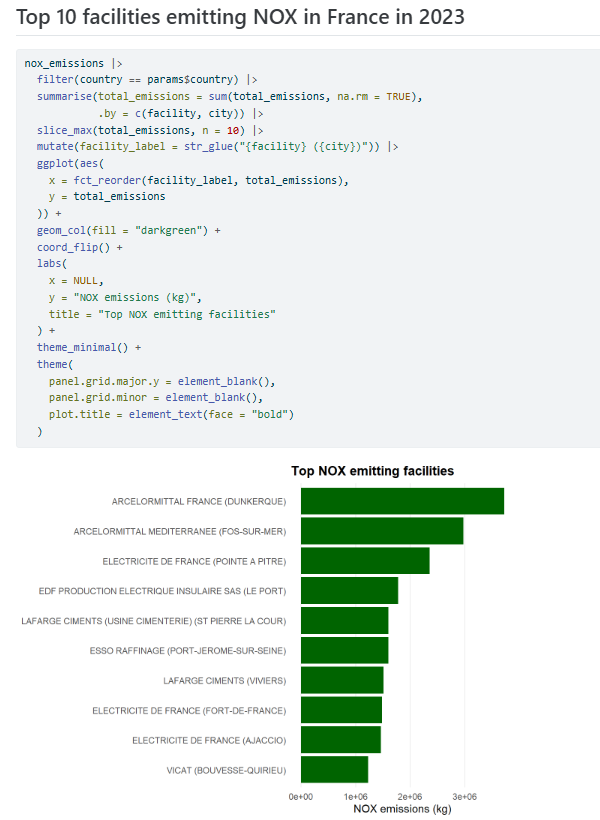
````## Top 10 facilities emitting NOX in `r params$country` in 2023
```{r}
nox_emissions |>
filter(country == params$country) |>
summarise(total_emissions = sum(total_emissions, na.rm = TRUE),
.by = c(facility, city)) |>
slice_max(total_emissions, n = 10) |>
mutate(facility_label = str_glue("{facility} ({city})")) |>
ggplot(aes(
x = fct_reorder(facility_label, total_emissions),
y = total_emissions
)) +
geom_col(fill = "darkgreen") +
coord_flip() +
labs(
x = NULL,
y = "NOX emissions (kg)",
title = "Top NOX emitting facilities"
) +
theme_minimal() +
theme(
panel.grid.major.y = element_blank(),
panel.grid.minor = element_blank(),
plot.title = element_text(face = "bold")
)
```````{r}
top_facility <- nox_emissions |>
filter(country == params$country) |>
arrange(desc(total_emissions)) |>
head(1) |>
select(facility, city, total_emissions)
````For inline code, enclose the expression in `r ` / `python `.
params in YAML headerTip: also render some outliers (e.g. countries with little data) to check them.
In a separate file (ex. render_country_files.R):
render_country <- function(country_name) {
filename <- str_glue("RESULTS_{str_replace_all(country_name, ' ', '_')}.html")
quarto::quarto_render(
input = template_file,
execute_params = list(country = country_name),
output_file = filename
)
file.rename(from = filename, to = file.path(output_dir, filename))
}
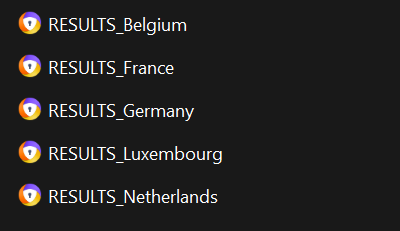
walk(countries_to_analyze, render_country)paramsparamsparamsparamsparams_grid <- tibble(
country = c("Belgium", "France", "Germany"),
pollutant = c("PM2.5", "NOX", "CO2")
)
render_report <- function(country_name, pollutant_name) {
filename <- str_glue("RESULTS_{str_replace_all(country_name, ' ', '_')}_{pollutant_name}_2023.html")
quarto::quarto_render(
input = template_file,
execute_params = list(country = country_name, pollutant = pollutant_name),
output_file = filename
)
file.rename(from = filename, to = file.path(output_dir, filename))
}
pwalk(params_grid, render_report)Image from the “R Productive Workflow” by Yan Holtz